How to Use the Betwinner App in India: Download, Install, Bet & Withdraw
How to use Betwinner app is no longer only a technical question for Indian users. Before downloading an APK, opening the cashier or placing a wager, it is necessary to check the current law, regional availability and the source of the installation file. The Android version is normally distributed as an APK through the operator’s mobile page, while the iPhone version is accessed through an Apple App Store listing when it is available for the user’s region.
This guide explains the Betwinner app India workflow, including the Betwinner APK download process, Android installation, iPhone access, login, INR selection, cricket markets, the bet slip, payments and common technical errors. It also explains which shortcuts should be avoided. Modified APKs, unofficial file catalogues, false Apple ID information and tools used to bypass a regional restriction are not legitimate installation methods.
India’s Promotion and Regulation of Online Gaming Act, 2025 came into force on 1 May 2026. It prohibits online money games, participation in them, their promotion and related transfers of funds. This page is therefore an independent reference to the app interface rather than an invitation to participate in real-money betting from India.
Check the current law before using any betting service, download software only from an official source and never try to defeat a legal or regional access restriction.
Is Betwinner Legal in India?
Older guides often describe Indian online betting law as a state-by-state grey area. That description is no longer sufficient. The Promotion and Regulation of Online Gaming Act, 2025 extends across India and also covers online money gaming services operated from outside the country but offered to users within India.
The Act prohibits the offering, operation, facilitation, advertisement, promotion and participation in online money games. It also restricts banks, financial institutions and other parties from facilitating related transfers. The Act and its accompanying rules became operational on 1 May 2026.
The fact that an offshore application can still be downloaded, displays INR or shows a local payment method does not establish that it is authorised in India. Technical access and legal permission are separate issues. Users should not rely on an operator’s availability, an affiliate article or an old state-law summary as proof that real-money betting is permitted.
VPNs, alternative domains, changed DNS settings or false regional information should not be used to reach a restricted betting service. When access is blocked or the app is unavailable, the appropriate action is to stop rather than search for a workaround. Anyone needing a legal interpretation for a specific situation should consult a qualified Indian lawyer.
System Requirements
App requirements may change with each update, so the current official Betwinner download page or App Store information should take precedence over older screenshots. The current public iPhone listing requires iOS 15.0 or later and uses more than 250 MB before additional app data is considered. Android compatibility depends on the APK version, but a recent supported Android release, at least 2 GB of RAM and sufficient free storage provide a more reliable baseline.
- A stable Wi-Fi or mobile-data connection;
- An operating system that still receives security updates;
- Free space for the installer, application and future updates;
- Access to the registered phone number or email;
- A device protected by a PIN, password or biometric lock.
Do not root an Android phone, jailbreak an iPhone or disable essential device protection merely to install a betting application. The mobile website may work on an older device, but it is not a lawful substitute when the service itself is restricted.
How to Download Betwinner APK on Android
The Android application may be distributed as an APK rather than through Google Play. An APK is a normal Android installation package, but the user must verify where it came from. The file should be downloaded only through the official Betwinner mobile page reached from a verified domain.
Direct download
Open the official website in an updated browser and find the Android or APK download option. Before accepting the file, check that the page uses HTTPS and has not redirected to a file-sharing service, Telegram channel, cloud drive or unrelated APK catalogue.
- Open the verified Betwinner mobile page.
- Select the Android download option.
- Confirm the browser download warning only after checking the domain.
- Wait until the APK has downloaded completely.
- Open the file without renaming, unpacking or modifying it.
If the official page does not provide the APK in India or access is blocked, do not obtain the file from a mirror. An unofficial copy may contain malware, altered payment screens or stolen login forms.
Allow unknown sources
Recent Android versions grant installation permission to a particular browser or file manager. After opening the APK, Android may display an option allowing that application to install unknown apps. Enable it only for the source used to download the official file, return to the installer and review the application name before selecting Install.
After installation, return to the same Android settings menu and disable the permission. The browser does not need permanent authority to install other applications.
Verify integrity
Review the version, application name and requested permissions. Cancel the process if the app requests device-administrator access, accessibility control, SMS forwarding, contact access or other privileges unrelated to betting, account security or notifications.
Open the app once without entering payment information and inspect the login screen, support section, terms and privacy links. Files advertised as “unlocked,” “premium,” “fixed Aviator” or “guaranteed win” versions are fraudulent. An APK cannot predict random game results or remove the operator’s mathematical advantage.
How to Install on iPhone in India
iPhone installation should use Apple’s App Store. An APK cannot be installed on iOS, and websites offering Android-style iPhone files should not be trusted. The operator’s official mobile page may lead to the relevant App Store listing when the application is distributed in the user’s region.
Apple ID region
Search the App Store for the exact application name and verify the developer shown in the listing. If it does not appear for an Indian Apple ID, do not enter a false address, borrow another person’s account or change the region solely to bypass the restriction.
An Apple ID region change can affect subscriptions, stored balance, accepted payment methods and previously purchased content. It also does not change the law applicable to a person located in India. Configuration profiles, enterprise certificates and third-party iOS stores should be avoided.
Login workflow
After a legitimate installation, select Login if an account already exists. Enter the registered phone number or email and the existing password, then complete any one-time verification shown on screen. An account created through Android or a browser should normally work on iPhone as well.
Do not create another profile simply because the original account was opened on a different device. Multiple accounts can lead to bonus cancellation, KYC checks and delayed withdrawals. Face ID or Touch ID may be enabled for convenience, but the iPhone should also have a strong device passcode.
First Login & INR Currency Selection
The first login should be used to verify the account rather than immediately open the cashier. Check the spelling of the name, date of birth, phone number, email address and country. The identity document and payment account used later should belong to the registered account holder.
INR is generally selected during registration when it is offered. Currency can be difficult or impossible to change later because it affects the main balance, limits, bonuses and payment records. An existing user with another currency should contact support instead of opening a duplicate INR account.
The cashier may display different options for different accounts. Minimum amounts, fees, processing times and withdrawal support should always be checked on the live payment screen. Under current Indian law, the appearance of INR or a local payment option should not be interpreted as permission to fund an online money game.
Key Features
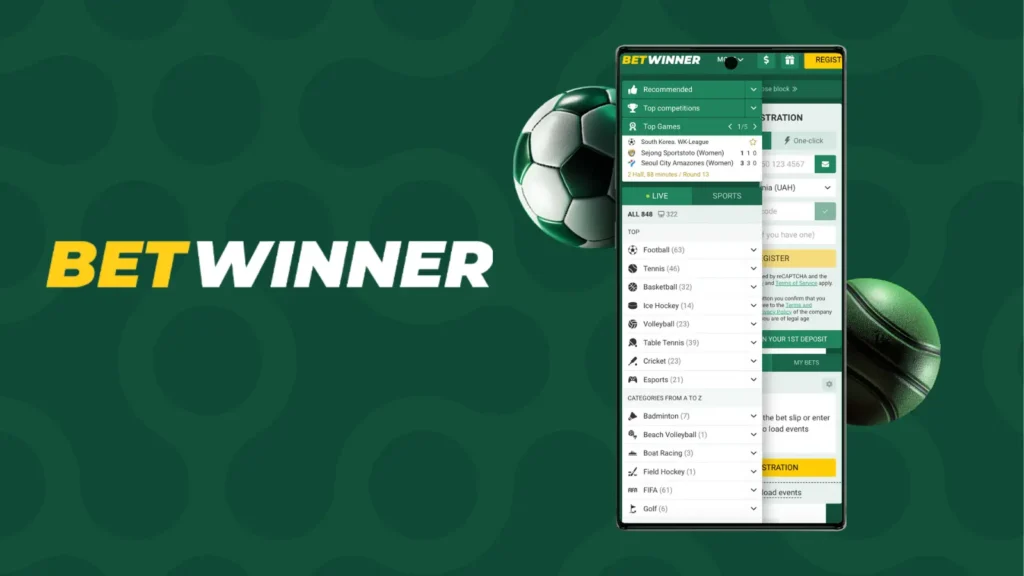
The mobile interface combines the sportsbook, live events, casino catalogue, account tools and cashier. Features vary by account, event and region, so the presence of a section in one screenshot does not guarantee that it will remain available.
Cricket (IPL, T20)
Cricket is normally available through the Sports menu and may be divided into prematch, live and tournament views. IPL, international T20 and domestic fixtures can include match-winner, innings total, wickets, player performance and partnership markets.
Market rules should be opened before selecting odds. Abandoned, shortened or tied matches may be settled differently, and player markets may require the named cricketer to participate. The short market title is not a substitute for its settlement conditions.
Live betting & streaming
The live section updates prices during an event. Odds can change or become suspended before confirmation. The accepted wager and price are shown in My Bets, not necessarily the first figure tapped on the event page.
Streaming is normally limited to selected events and may have account requirements. A responsive connection is important because betting windows can close rapidly. When the connection fails, check the bet history before pressing the confirmation button again.
Aviator & Crash
Aviator and similar crash games use a multiplier that stops at an unpredictable point. Cashing out before the round ends produces the displayed return, while failing to do so loses the stake. Automatic cash-out changes the timing of the instruction but does not create a guaranteed strategy.
Crash games allow many rounds to be played quickly and can therefore produce rapid losses. A previous multiplier does not predict the next one. Signal groups, betting systems and modified applications cannot provide reliable advance results.
UPI/Paytm deposits
India-focused Betwinner materials have previously referred to UPI, Paytm, PhonePe, Google Pay and net banking. Actual availability can change, and only the live cashier can show the options attached to a particular account.
India’s current legislation prohibits fund transfers related to online money games. A UPI or Paytm logo inside an interface does not override that prohibition. Never send money to details supplied through WhatsApp, Telegram, social media or an old screenshot. Where a payment is lawful in another jurisdiction, the payer name should match the betting account holder.
How to Place Your First Cricket Bet
The following steps explain the app’s bet-slip structure for reference and for use only where real-money sports betting is lawful. They are not a recommendation to participate from India under the current prohibition.
- Open Sports and select Cricket.
- Choose a competition, match or date.
- Open the fixture and review the available markets.
- Read the settlement rules for the intended selection.
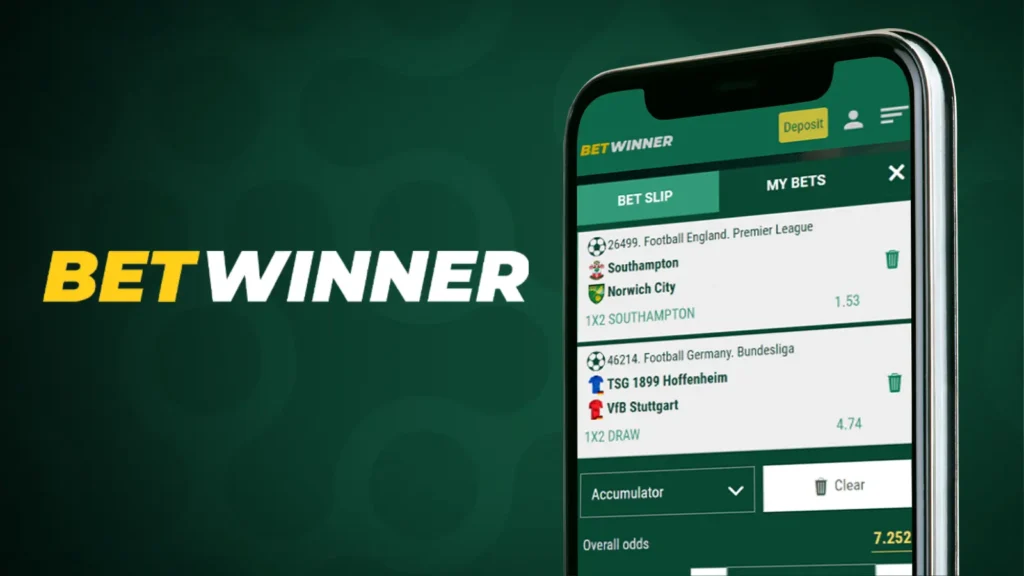
- Tap the odds to add the selection to the bet slip.
- Select a single bet or another permitted bet type.
- Enter a stake within a predetermined loss limit.
- Review the odds, stake and potential return.
- Confirm once and check My Bets for acceptance.
A potential return is not guaranteed profit. The selection may lose, be voided or be recalculated under the event rules. Accumulators may display a larger return, but every included selection generally has to satisfy its conditions.
Never increase the stake to recover a previous loss. When a demo or free-to-play option is available, it is a safer way to learn the interface without transferring money.
Push, Bet Builder, Cash Out
Push notifications can report event starts, score changes, promotions and account activity. Security and transaction alerts may be useful, while promotional notifications can be disabled if they encourage unplanned play. Notifications may arrive late and should not be treated as the official match record.
Bet Builder combines compatible selections from one event into a single price. All included conditions usually have to win. Cash Out may settle an accepted bet before the event ends, but it is not available for every market and can be suspended or repriced. The displayed amount should be reviewed carefully because an accepted cash-out request is normally final.
App vs Mobile Site
The application and mobile site generally use the same account, but they differ in installation, storage and updates. The app can offer push notifications and faster repeat access, while the browser version requires no APK permission and takes up less device storage.
| Feature | Native app | Mobile site |
| Installation | APK or App Store download | No installation |
| Updates | A new version may be required | Changes are applied on the server |
| Storage | Uses device storage | Mainly uses browser cache |
| Notifications | Push alerts may be available | Browser support varies |
| Main risk | Installing an unofficial file | Opening a false or cloned website |
The mobile site can be useful when a device does not support the latest application. It must not be used as a route around a legal or regional restriction. If access to the service is prohibited, the browser version is not a lawful alternative.
Troubleshooting
Most problems relate to installation, login, outdated app data or confusion over the status of a payment or wager. Begin with the least invasive fix and keep all transaction evidence until the issue has been resolved.
- APK does not install: check storage, Android compatibility and temporary installation permission for the correct browser.
- App freezes: restart the phone, update the operating system, clear the cache and install the latest official version.
- Login fails: confirm the registered phone or email and use the official password-reset process.
- Odds changed: review the final accepted price in My Bets.
- Deposit is missing: do not pay again immediately; keep the transaction reference and contact official support.
- Withdrawal is pending: check KYC, payment ownership and active bonus conditions.
- App is blocked: do not use a VPN, mirror, altered DNS setting or false regional profile.
A support request should contain the account ID, date, amount, payment method, transaction reference or bet ID and a screenshot with sensitive information hidden. Never send a password, OTP, UPI PIN, card CVV, private key or wallet recovery phrase.
Open the official Betwinner mobile page, choose the version for your device and follow the installation steps above. Before using payments or placing a bet, check the account currency, verification requirements and the current rules that apply in your location.
FAQ
India’s Promotion and Regulation of Online Gaming Act, 2025 came into force on 1 May 2026 and prohibits online money games, participation in them and related fund transfers. The fact that an app or payment method is technically accessible does not establish that real-money betting is permitted.